I'm now back in Solana Beach, CineForm HQ, returning a day early from the show. The CineForm reception at NAB this years was simply awesome, with more and more high-end companies seeing the value of compression in high resolution workflows. While most of the staff are still in Vegas, I had to get back to working on our 3.3 release, adding great features suggested by customers and fixing the bugs we always find at show time. Trade shows always have the habit of showcasing bugs, so it is good to have engineers doing the demos with pen and paper jotting down the list of things they will need fix back at the office -- we never hold back demoing work in progress features, but showing the cutting-edge of our development has it risks. This year as no different, but fortunately most the bugs showed themselves during Sunday setup and were fixed by Monday morning when the show opened. It turned out we never tried playing 3K on 4K timeline at full res. before (in preview it worked fine on our dinky 24" displays,) but the at the office we don't have the wonderful 30" monitors Intel loaded us, so we cranked up the resolution to make use of the display area. At show start everything looked great and presented smoothly from HD to 4K. We were playing 125 frame per second over cranked 4K Phantom 65 footage, thanks to guys at Vision Research, AbleCine Tech, and the Dual Quad HP xw8600 workstations that power our booth -- the most demanding footage I have worked with to date (clean, but amazingly detailed, and played real-time even while using Iridas's 3D LUTs.) It fun dealing with the extremes like discussing the detail of over cranked 4K footage with one customer, and the next minute discussing pulldown removal from Canon HV20s.
"All sources welcome" could have be a slogan at the CineForm booth, but fortunately I'm not in marketing (anyone seeing our website will know we don't have marketing department.) On the booth we where showing footage and editing Dalsa Origin, Grass Valley Infinity, Vision Research Phantom 65, Red One, Silicon Imaging SI-2K, and Sony EX1 (likely many more.) Grass Valley kindly loaned us an Infinity camera (pretty awesome BTW) to help us showcase the Infinity support we will be offering shortly, and someone loaned us the tripod to put it on (thank to that unknown company.)
In addition to the regular CineForm crew, I would like to thank those friends of the company that helped out at the booth: Isaac Anderson, Jim Hays, Mike McCarthy and Jason Salonen, providing the much valued outside prospective for CineForm and our customers. Thank you to Steve Sherrick who invited me to present at the Red User Workflow panel, and the warm reception from the engaging audience. For the Reduser presentation, thanks to Terry Cullen of 1Beyond who loaned CineForm a QuadCore laptop, and amazing machine that made the demo fly. And finally to all the companies that made up a "end-to-end digital workflow" booth: Wafian, Silicon Imaging, Iridas and Intel, each one helping with a sizable piece of the digital film making puzzle.
Thursday, April 17, 2008
NAB -- The Results

Friday, April 04, 2008
NAB preparations.
Sorry there have been no blog updates. I have been working like crazy getting Prospect v3.3 ready for NAB along with several Mac upgrades. There will be a lot of cool new features to show this year, which helps as CineForm has a bigger presence then ever before (in a booth 3 times bigger -- partnering again with Wafian and Silicion Imaging and adding Iridas to the mix.) Booth SL10609 (Lower South Hall.)
I will be at the show from Sunday through Wednesday, I have normally lost my voice by the Thursday, so don't wait if you want to come by the booth.
Tuesday, March 04, 2008
Shot Down By My Better Half.
If you have ever read this blog, you might get a laugh at my wife's skillful skewering of the crazy language I have used over the years. Please read Riding the Wavelet over on her blog littledragonfruit.com.
Sunday, March 02, 2008
Metadata Matters
In recent builds of the CineForm tools and codecs, we are focusing a lot more on the robustness and a flexibility of metadata. The CineForm codec has been carrying a special class of metadata for the last 18 months; we use the term "active metadata" to describe how it differs from classic data like edge codes and copyright info. Active metadata is the mechanism that allows camera control unit functionality, such as white balance, curves, color matrix and 3D looks, to be stored non-destructively to maintain all your source image information, yet allow the playback to turn on and off or alter the active decoding/display of the metadata -- I need to do a post on this as it is very cool (or please come and see us at HD Expo (March 6) or NAB (April 14-17.)) We had traditional passive metadata for the same period of time; we just haven't started to emphasize it until now.
The CineForm structure for metadata data is little different than other streaming formats (AVI, MOV, MXF, etc), and as the metadata is embedded within each compressed video sample no matter the wrapper type. Streaming format typically attach metadata to a channel within the file wrapper, parallel to the video stream, or as a separate XML file, which is fine if you can stick with one wrapper type (AVI,MOV,MXF) and keep your files together. However, re-wrapping the stream or breaking up streams can result in the loss of this metadata. As CineForm is wrapper agnostic, we needed to store it differently so that it can't be lost. We still can use the wrapper standard metadata streams when needed, we are simply not depending on it.
As metadata is in each compressed sample, we can achieve greater flexibility as the video decoder is now aware of the metadata (not possible in parallel streams or side car files,) allowing applications that otherwise have little to no support for metadata to act on the data in new ways -- this is how our active metadata works. An example of this use is in our latest DPX to CineForm to DPX tools will completely preserve all the DPX metadata and reconstruct it when export back to DPX at a later date. We are working toward allowing passive metadata to be selected for optional burn-in display, in addition to all the search and retrieval applications of this data. Lots of cool stuff happening.
For those developers programmatically implementing CineForm compression into their tools, (Wafain, Silicon Imaging and Iridas are good examples), it is easy to directly set and control the adding of metadata. Via our SDK you get frame accuracy for metadata insertion. Yet we have added a mechanism to allow the non-programmer to add free-form metadata to any of their CineForm encodes. For Windows users, there two registry keys allowing you to add your own metadata :
HKEY_CURRENT_USER\\Software\\Cineform\\MetadataGlobal
HKEY_CURRENT_USER\\Software\\Cineform\\MetadataLocal
Here is an example of using MetadataGlobal:
----------- cut here --------------------
Windows Registry Editor Version 5.00
[HKEY_CURRENT_USER\Software\Cineform\MetadataGlobal]
"Copyright Owner"="David Newman"
"Computer Used"="M90 Laptop"
"Random info"="put whatever you want in the file"
"Add Numbers"=dword:00000050
----------- cut here --------------------
and save as MyGlobalData.reg. Of course you can change and add your own text and numerical data (hex format, that dword:00000050 = 80) after the HKEY line. Double click on the .reg file to install. Now every frame of every capture, or render, with have this data embedded. I've been using this in the office to know which PC any particular clip originated.
The second registry entry, MetadataLocal, only stores changes made since the last frame's encode. This is useful for attaching slowly changing data, like GPS data, or other changing data streams that occasionally change or change on every frame. Or you have a large amount of data you only want attached occasionally, rather than store it in every frame. I have yet to do much with this feature myself, but I sure it will have some powerful applications in the future.
Update: Use MetadataGlobal for changing data if you want that data to be present in every frame. Timecode is a changing field that is stored in every frame, and therefore should be using the global class. Accurate frame based changes require SDK level access.
Of course there are many new features in the works that I can't yet disclose, but please comment on your own ideas for metadata features your like to see.
Friday, February 22, 2008
The dark side (but funny)
 I don't normally post clippings, but this is so me. Try to maintain an active forum presence has its dark side.
Source XKCD, found through BoingBoing.
Thursday, February 07, 2008
CineForm 444 always better than the HDCAM-SR?
Sony's HDCAM SR and CineForm 444 are very different compression technologies, one designed for tape-based existing deck control conform/master workflows and the other designed for online disk based workflows. Below I discuss how their core differences impact image quality, and why it is not so simple to state that one is better than the other for all image sources.
About this time last year, I blogged on a test we performed comparing CineForm's then new 444 mode to that of the respected de facto industry standard HDCAM SR; the results of that test are posted on CineForm's quality analysis page (and one of the graphs is repeated below.) While we never expected to exceed SR quality, we did select test material that would not favor SR, i.e. using very detailed source material, like full frame StEM footage (which is designed to trip up compression) plus live green-screen footage shot using a Thompson Viper. We informed Sony in advance that we were performing the test and that we were not intending to show up SR; rather we set out to prove that both SR and CineForm 444 are indistinguishable from the source, and this is still completely true. We also had the results independently verified.
Back then, it seems we had only slightly ruffled feathers at Sony, as Sony Broadcast CTO Hugo Gaggioni tried to find me at NAB 2007 to work out what we did, and if the test procedure was valid. I tried to follow up with Hugo but we never overlapped at that trade show. Sony and CineForm have long been good partners and we want to keep it that way; to demonstrate our long term relationship we even have the extremely rare bread-boarded Sony Z1 camera somewhere around the office. But in the months following NAB' 07 there was no more discussion on the test, well, until a few months ago. It seems the Sony had independently performed their own CineForm vs SR tests and drew mixed conclusions of "no significant difference between CineForm and SR 4:4:4 SQ in terms of PSNR." Sony went on to say that their 880/HQ mode is better still; in our tests we found HQ to be better than the SQ mode but of no significant difference when compared with CineForm highest quality mode.
How could Sony and CineForm do valid tests, yet get different results and both be correct in their findings? The fact is, you could almost draw these conclusions without doing the actual tests and here is why: Any very light compression (say 4:1) of DCT, Wavelet, long GOP or I-frame, will yield similar image quality; the real differences happen with much higher compression ratios. As compression ratios increase, I-Frame Wavelets (CineForm) will show their advantages over I-Frame DCT (SR, D5, DVCPRO), and as you compress more again the long GOP codecs like MPEG2 and H.264 start to shine over I-frame solutions. So in these tests we really weren't testing Wavelet vs DCT, but rather constant quality (CineForm Wavelet) vs constant bit-rate (SR). Tape systems like SR are always constant bit-rate, modulating the compression quality so the data rate matches that of the tape system.
 (Click on image for clearer view)
So when you see a graph like this showing quality over time, there is a reverse graph that shows the CineForm data rate changing and SR's remaining constant. In this test, the average bit-rate of CineForm happens to be lower than SR, even though the quality is higher, so there was a real measured advantage to CineForm, yet there are tests that can show the reverse. When the image is simpler for compression, like a lot of sky or large regions with low noise or detail, the data rate in a constant quality codec like CineForm's will fall. In this latter example you may be comparing an 8:1 Wavelet to a 4:1 DCT, which would likely be in favor of the DCT. The quality on the Wavelet image has not changed, yet the quality of the constant bit-rate DCT has increased, making good use of the available bits.
A recent good example of this happened with a customer (who will remain nameless until we get an OK) that is scanning a classic 65mm color print for restoration that uses CineForm as the archive format. They independently did CineForm vs SR testing, and found in some frames SR had better PSNR numbers (than CineForm 444), and sent me the frames to investigate. The 65mm source produced really clean source for a 2K scan, and the images had shallow depth of field, so there was minimal foreground material in focus that would give the compressor a full work-out. So while SR was using all its estimated 440Mb/s, CineForm's data was running around 345Mb/s (Filmscan 2 444 keying mode.) For these frames SR yielded a PSNR of 57dB and CineForm measured 55dB--both pretty awesome by the way.
As CineForm is not limited to a tape transport mechanism, we decided to increase our quality for the Filmscan 2 mode in our next release (we have always called this mode "overkill" in house.) The sample images from our unnamed source now produce 58dB PSNR using CineForm 444 compression, averaging 390Mb/s (still under SR's bit-rate.) While Sony can leapfrog our quality for these images with their new decks that can do the 880Mb/s mode (we found it had about 3dB PSNR boost over its more common 440Mb/s mode), there are diminishing benefits for a disk-based workflow. Uncompressed DPX 1080p sequences are about 1520Mb/s, so 880Mb/s is less than 2:1, and at that rate uncompressed DPX is likely a better disk based workflow. CineForm intends to target 4:1 compression or more (usually averaging 6:1) where the visual quality is the same as uncompressed (even with extreme post manipulation) but the data rates are low enough to significantly reduce the cost of storage and the bandwidth required for capture and playback.
All of this is designed to continue to improve image quality in ways you can't even see. :)
Monday, February 04, 2008
Demosaicing (a.k.a De-bayering)
When shooting with a RAW single sensor camera like Arri D-20, Red One or SI-2K, the final output quality is impacted significantly by the demosaic algorithm, possibly as much as any compression applied. The demosaic algorithm is the process that converts the one value per pixel of a raw bayer sensor to the more useful three color primaries per pixel like RGB (see wikipedia article on demosaicing.) The weird thing about demosaicing, is there is no single correct way to do it, as all the algorithms must interpolate the missing values, one guess can be as good as another. Of course some look more natural than others, and that gets tricky (i.e. impossible) to mathematically prove -- there are some parallels to building a visually lossless compression. Originally CineForm hasn't really got heavily involved in choosing one demosaic algorithm, as there are now hundreds of different algorithms, all pretty much claiming some superiority over the rest. Instead we have offered a plug-in structure that allows third parties to add any demosaic filter they wish. Silicon Imaging did this and believe Weisscam looked into doing the same. But of course CineForm is judged only by the filters we offer as standard, as we saw when we demonstrated a standalone Red One file convertor (now on hold to meet agreement terms with Red.) Graeme Nattress of Red, skillfully skewered the faults in the default demosaic we were using in that beta product in a reduser.net post. Of the beauty of competitive development is we were able to address the issues the next day. All this brought my attention back to having a good range of demosacic filters for the user to select from, rather then each camera vendor offering their own.
The latest builds on all our 2K+ products, there are now twice the number of demosaic filters offered, allowing you to tweak you image look as you need. See the subtle effects of each demosaic in closup on this image : 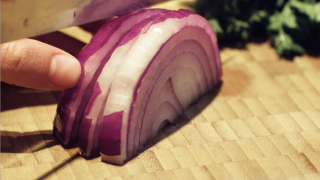
Click each of the check boxes to see the image with the various demosaicing filters applied.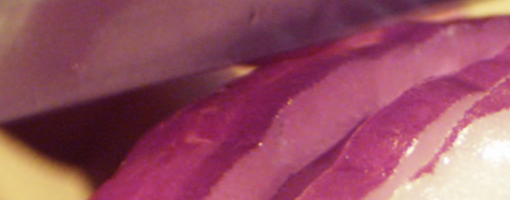
Bi-Linear
5x5 Enhanced
CF Advanced Smooth
CF Advanced Detail 1
CF Advanced Detail 2
CF Advanced Detail 3
When I find the time, I will shoot something that will really push the demosaic.
While I did this test images under Premiere Pro on Windows, we now have the same control of the demosaic filters on the Mac. For more information please see our new CineForm RAW on Mac tech note.